
Real-Time Time Tracking
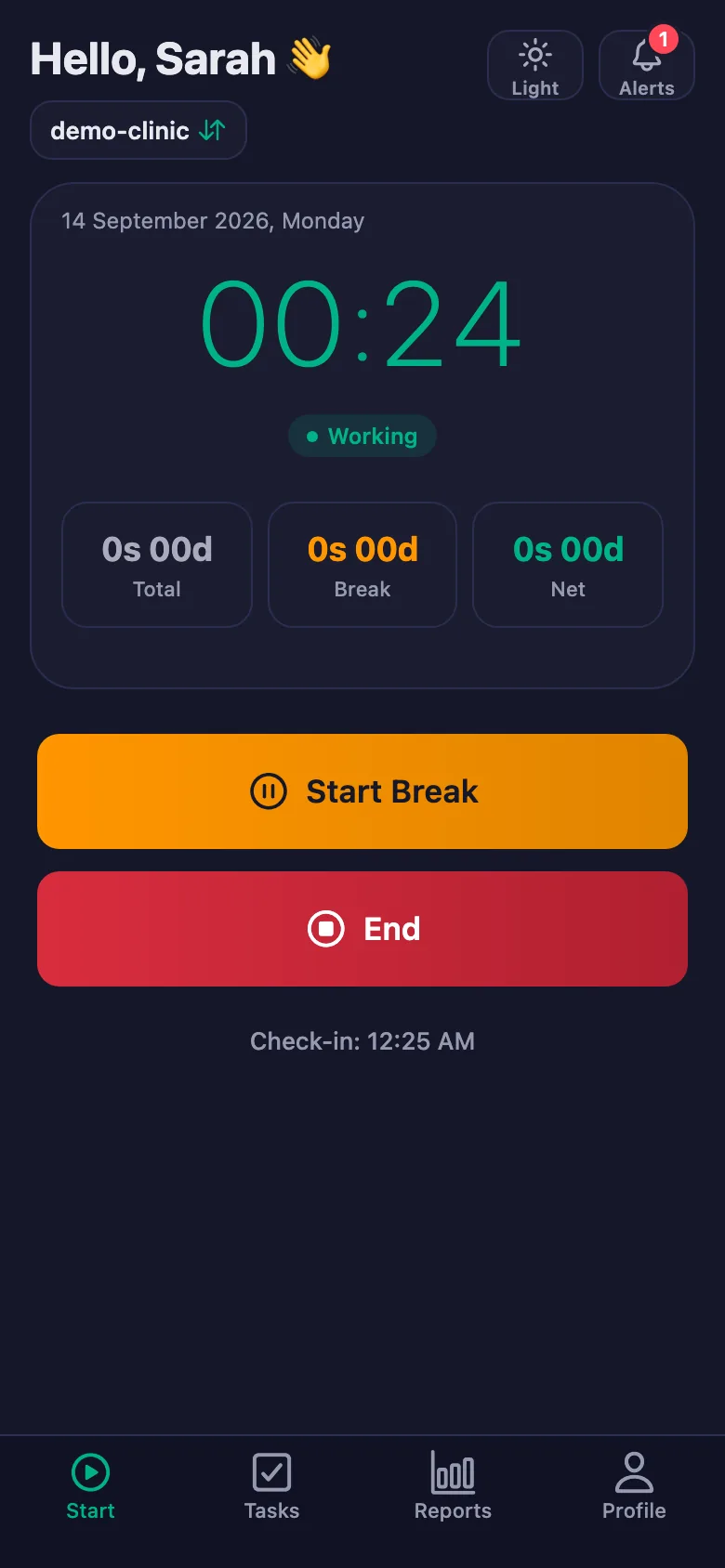
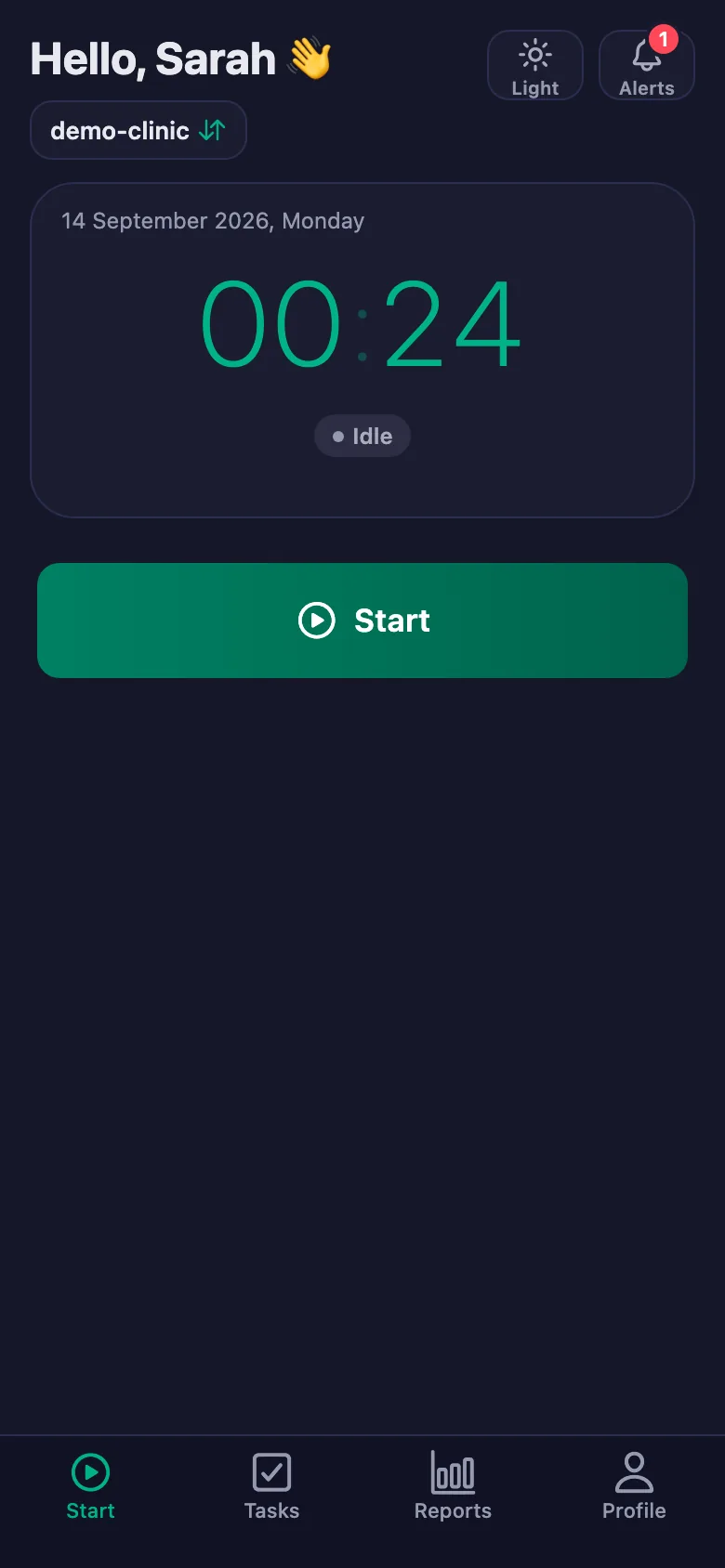
Start, end, or take a break with one tap. Employees can act in seconds from the mobile app.
Plan and easily track working hours, recurring tasks and daily work from one place. Manage your team, your clients or your own workflow without effort. See who is working when, which task is done and what is still waiting — live, or in a report.
Plan. Track. Complete.
No registration fee · No credit card required · Start instantly
No complex software needed. FinalWork is designed from the ground up to be simple, powerful, and completely free.
Start, end, or take a break with one tap. Employees can act in seconds from the mobile app.
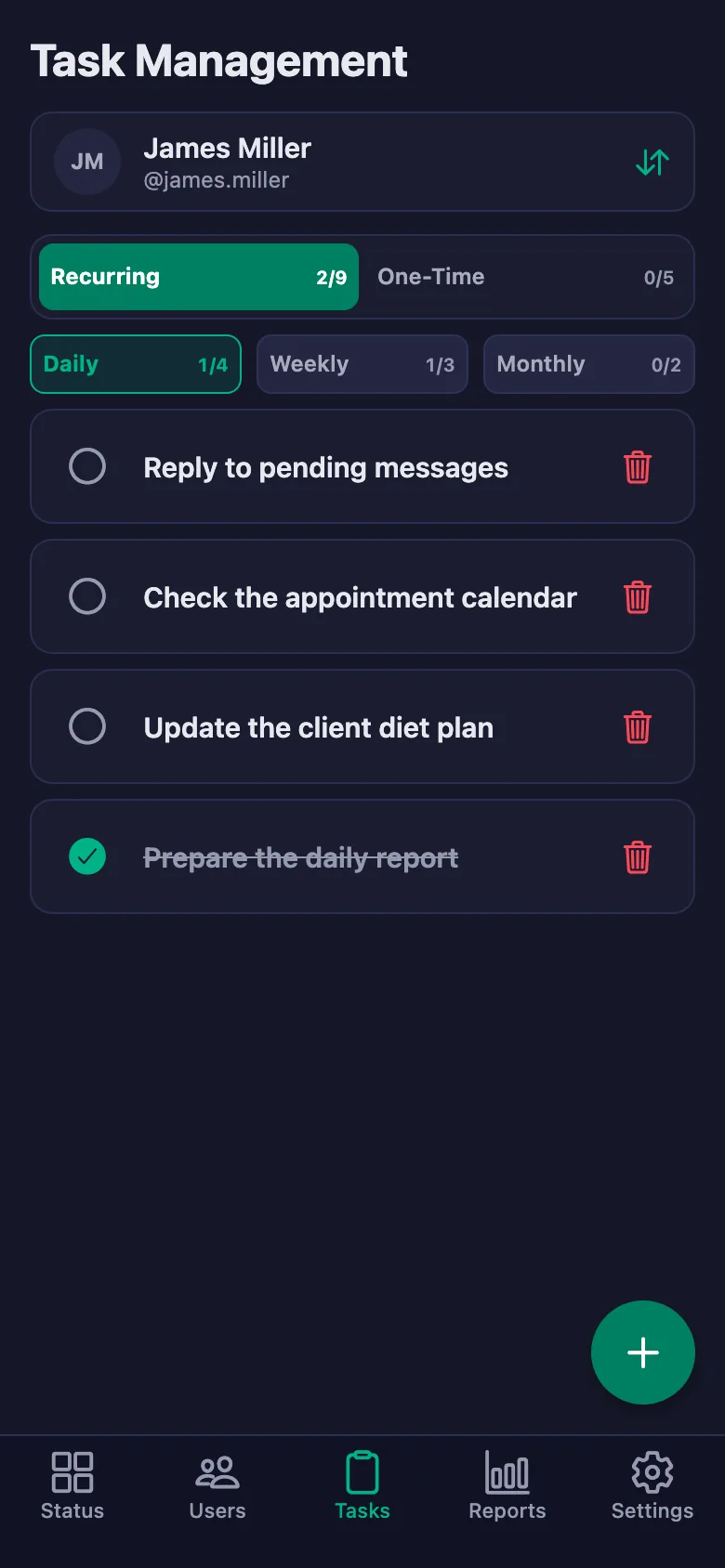
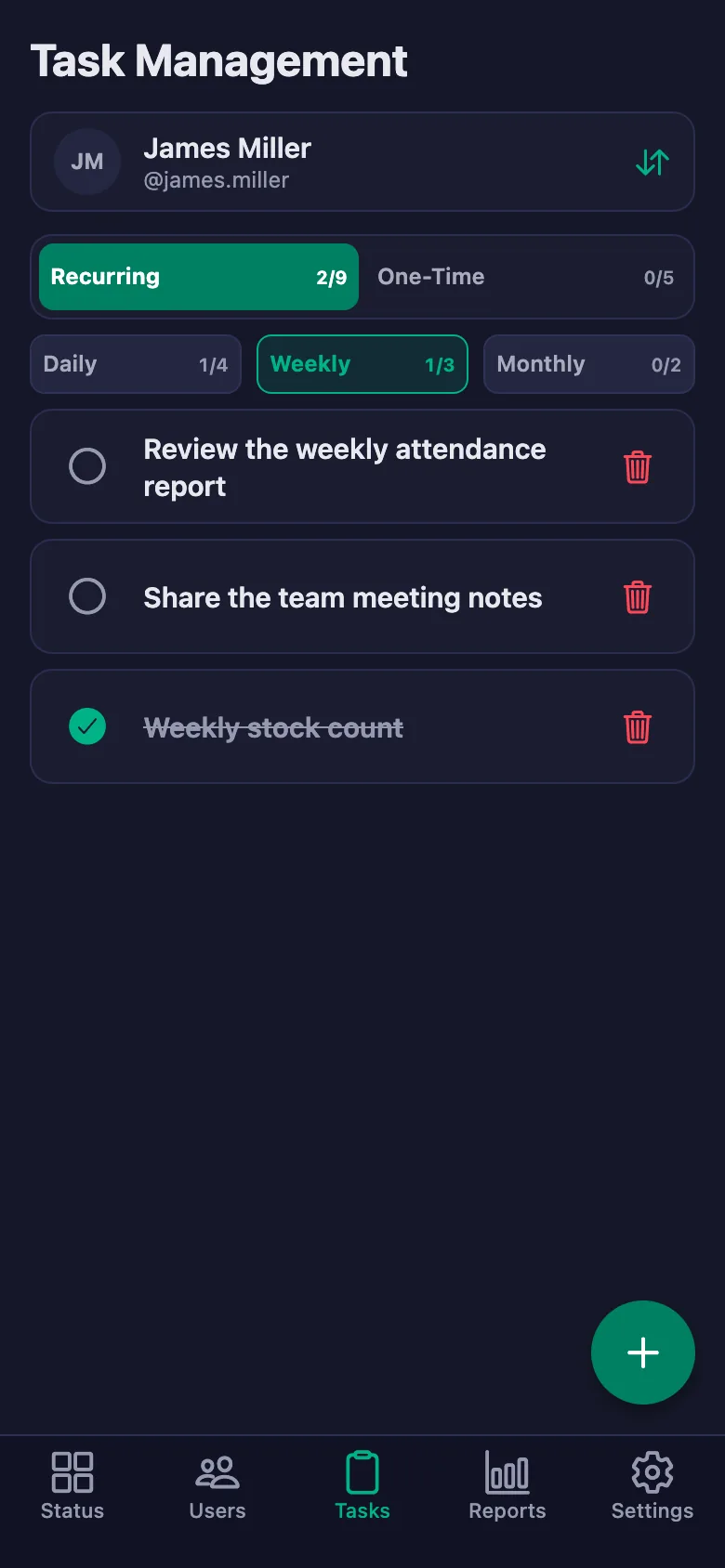
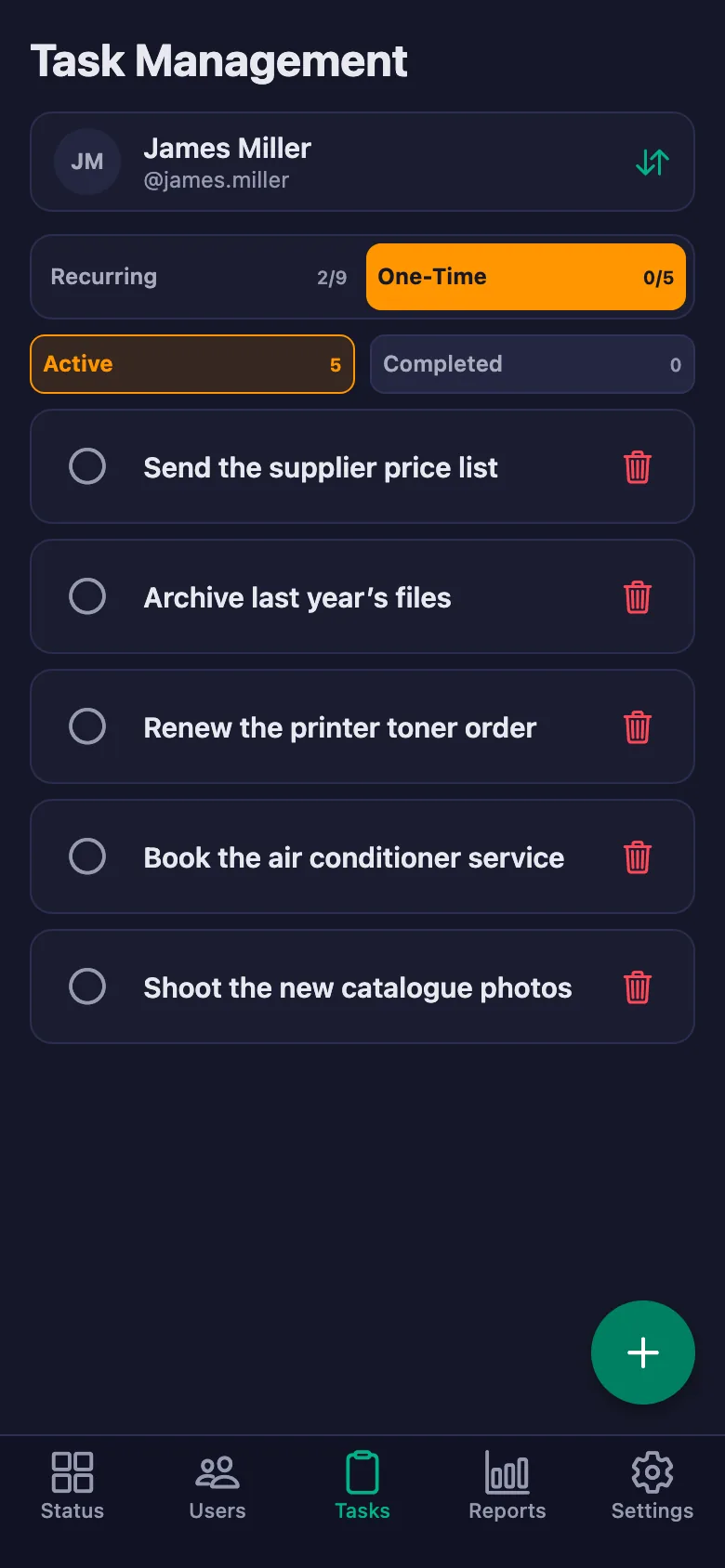
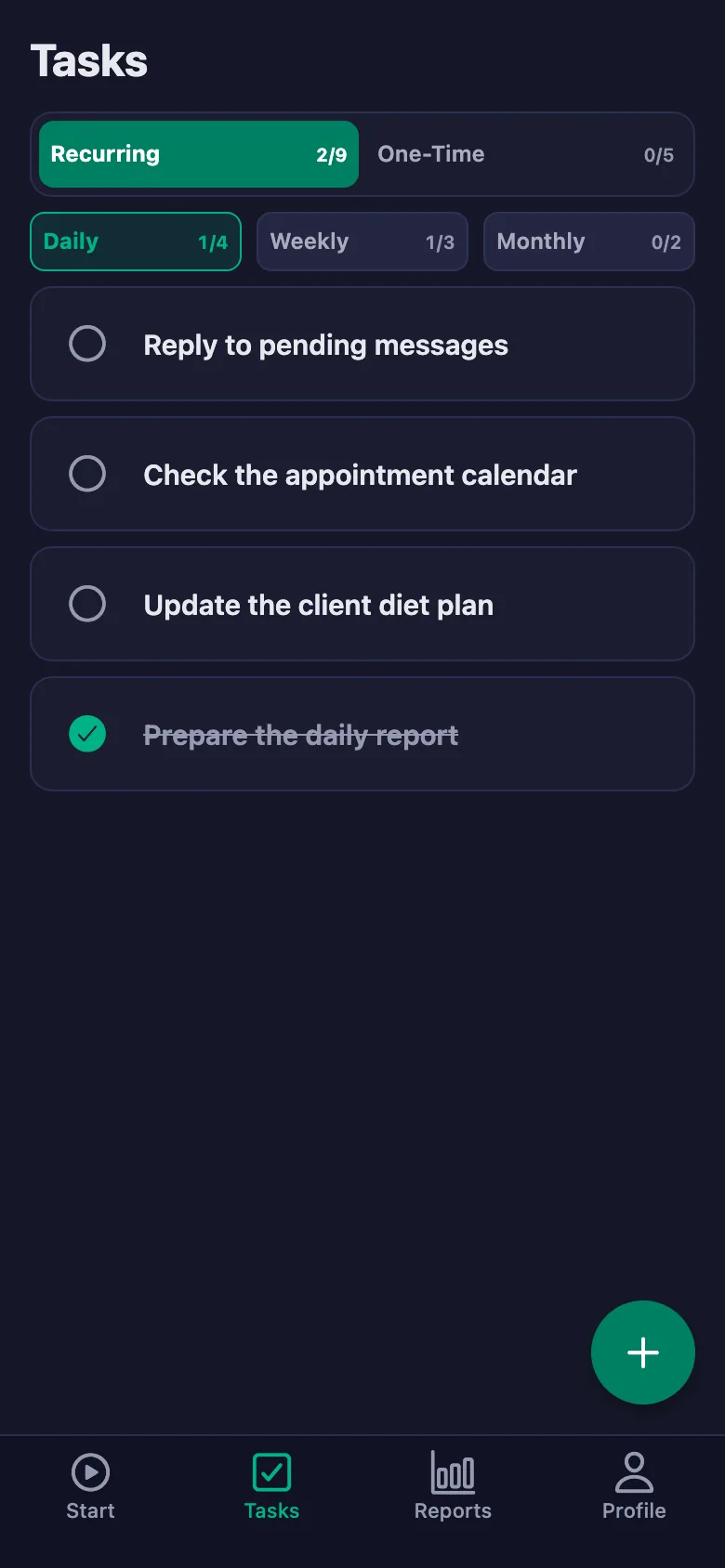
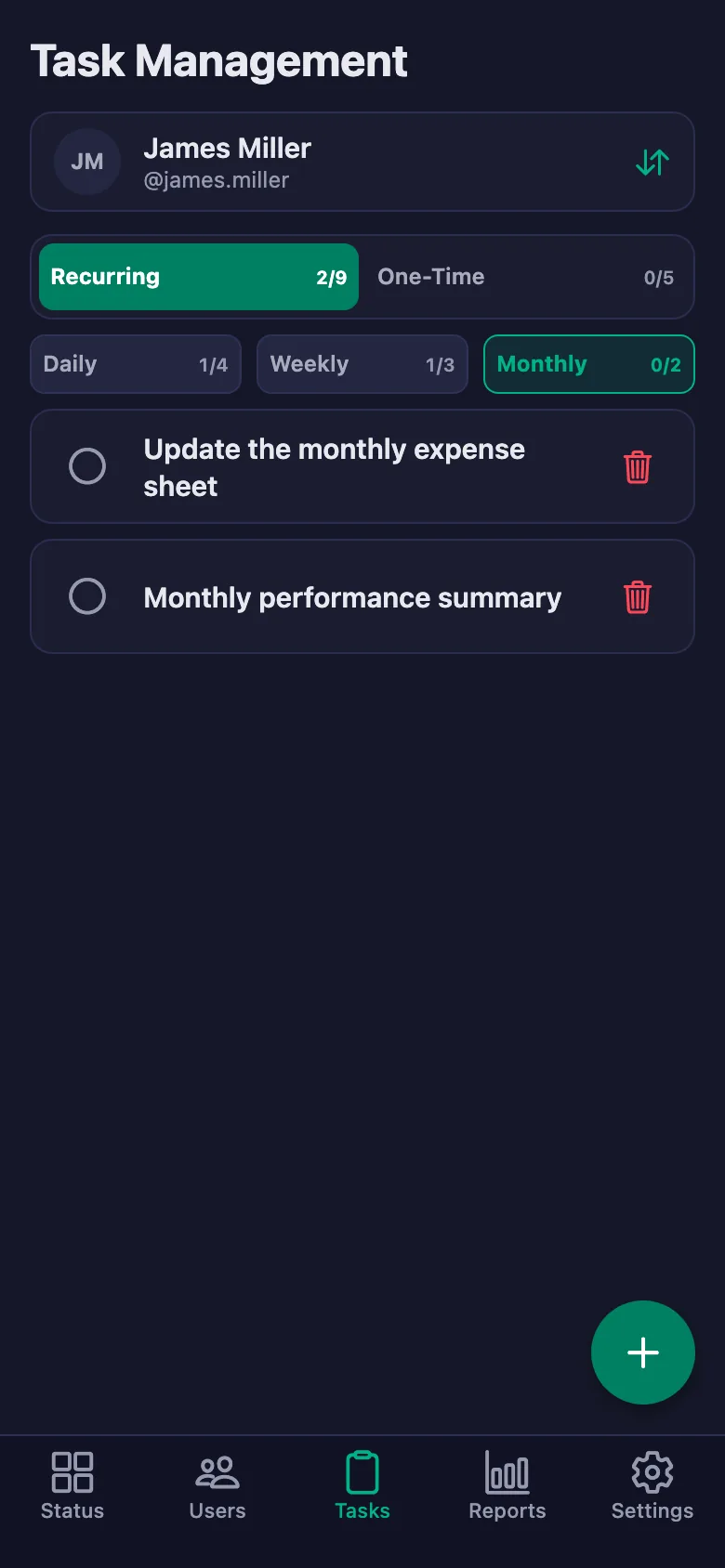
Assign daily, weekly, and monthly recurring tasks. Track completion status in real time.
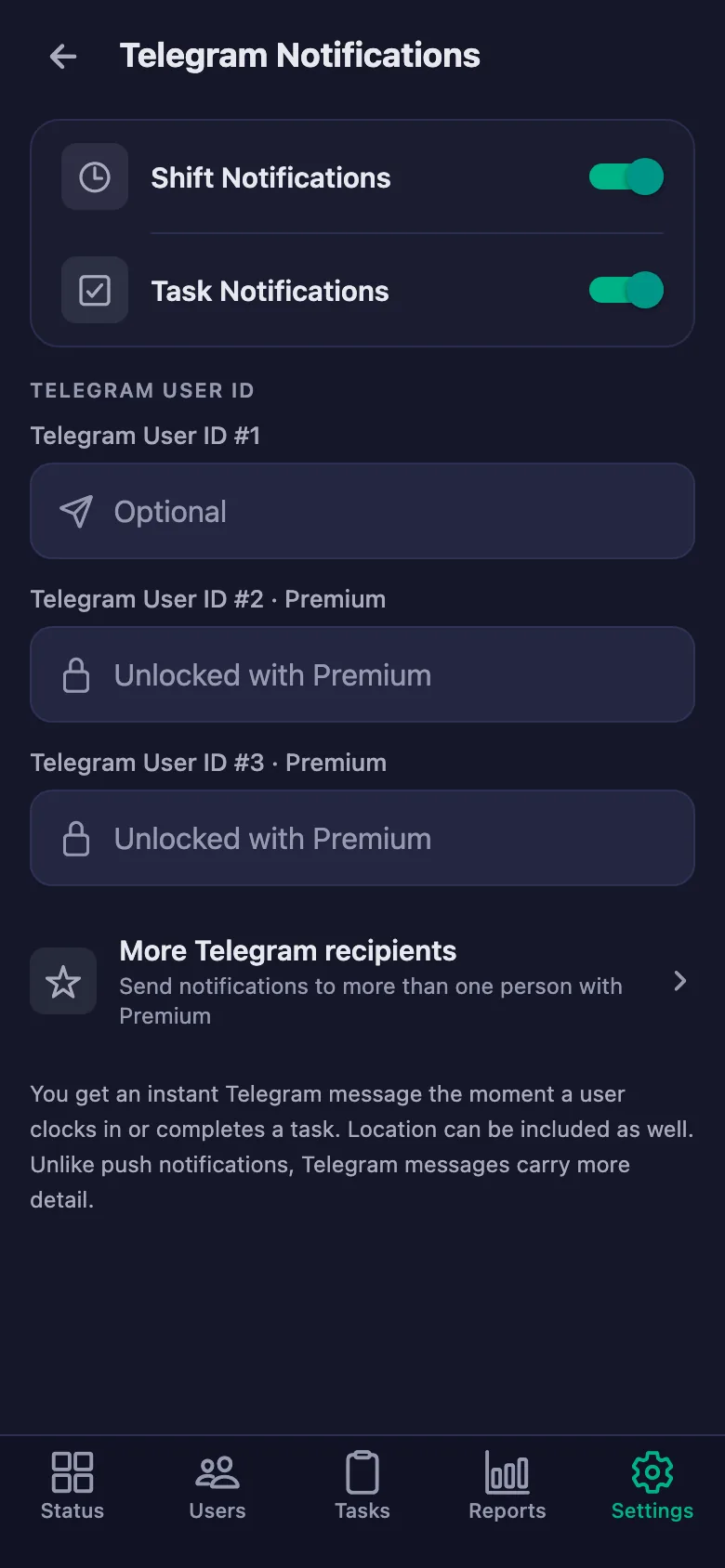
Work start/end events are instantly notified via Telegram. No need to log in online. The same status alerts reach your phone too — completed tasks included. Managed from Telegram Notifications in the app.
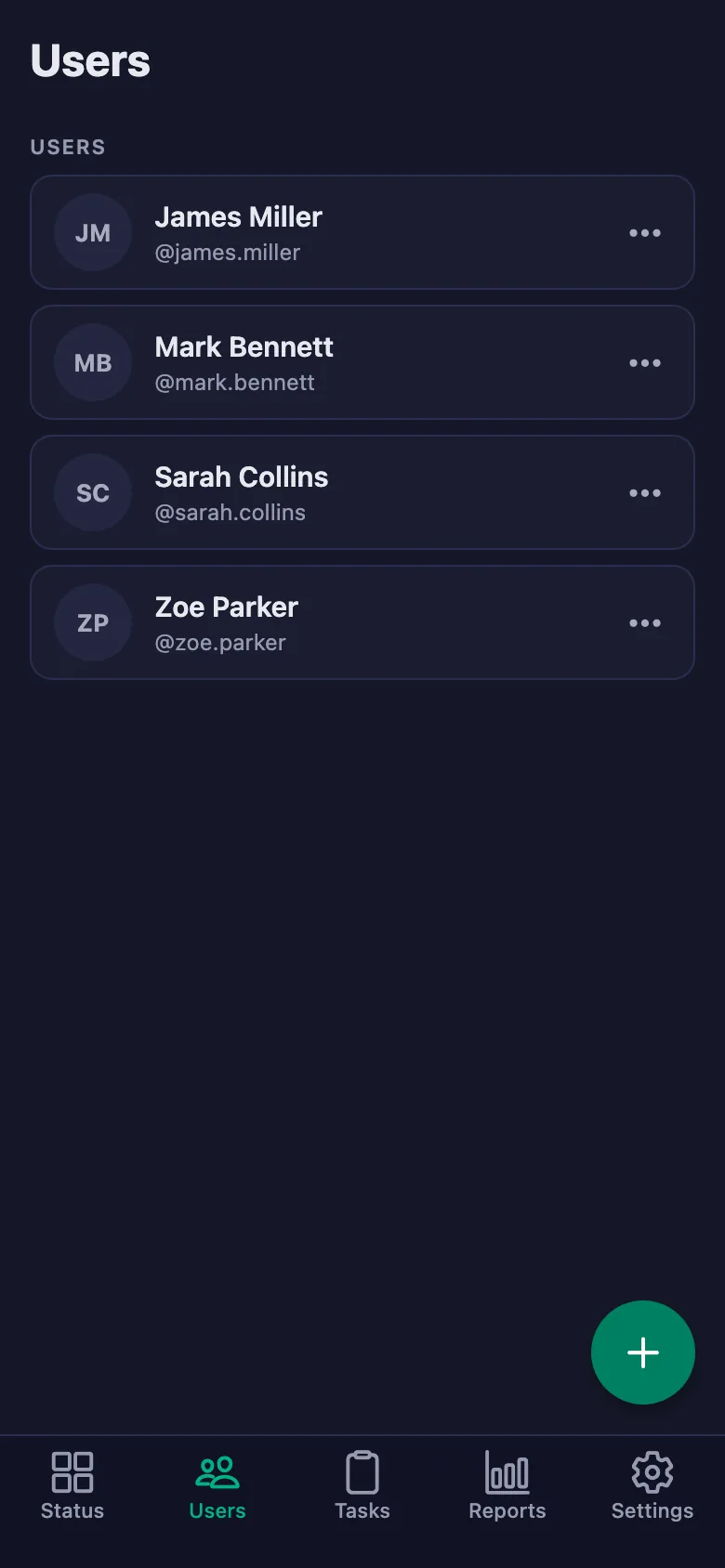
Add as many employees as you want. Distinguish managers and users with role-based access.
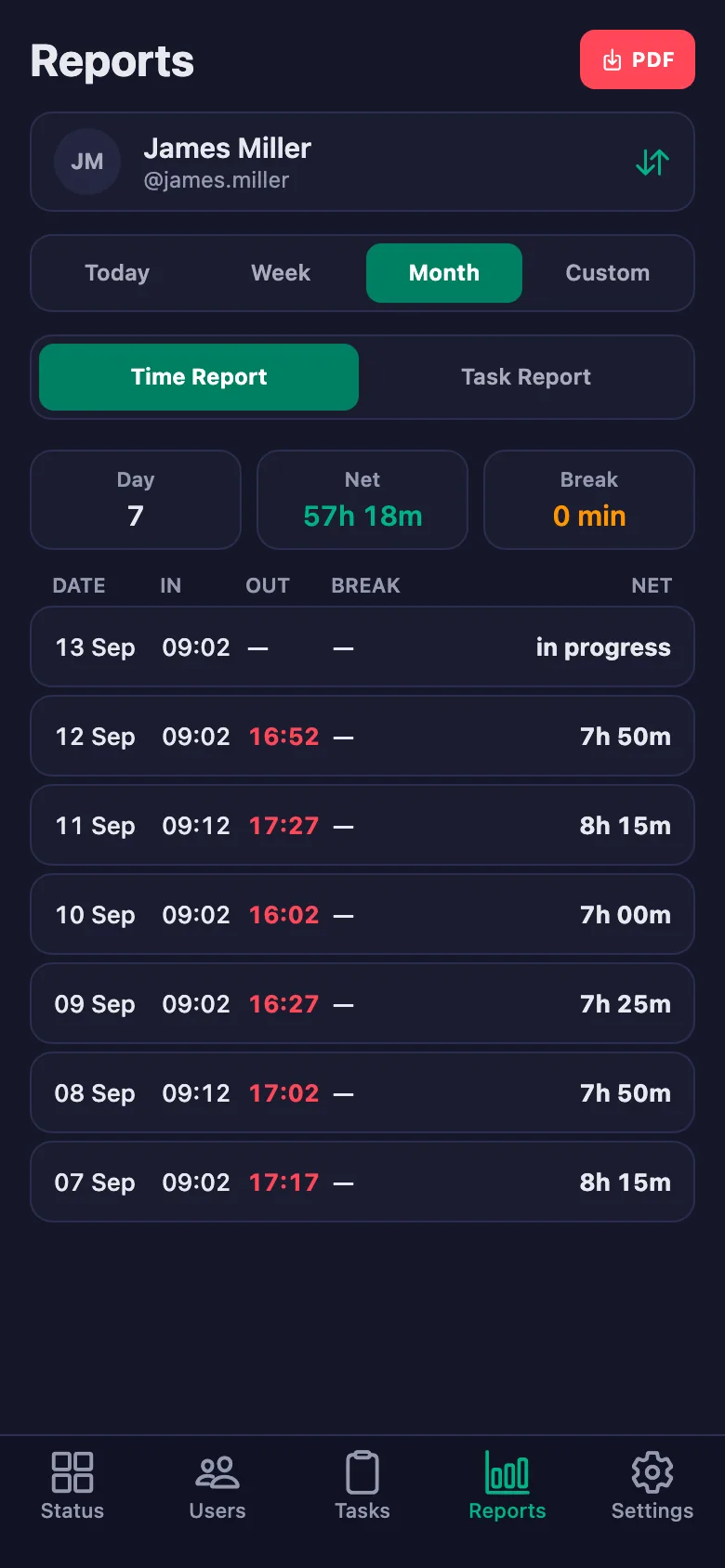
Daily, weekly, monthly work reports. Analysis with late start and early finish alerts.
Optional location verification. Check whether employees really start their shift from the workplace.
All these features are completely free
Real screens, real flow — see every step before using FinalWork.
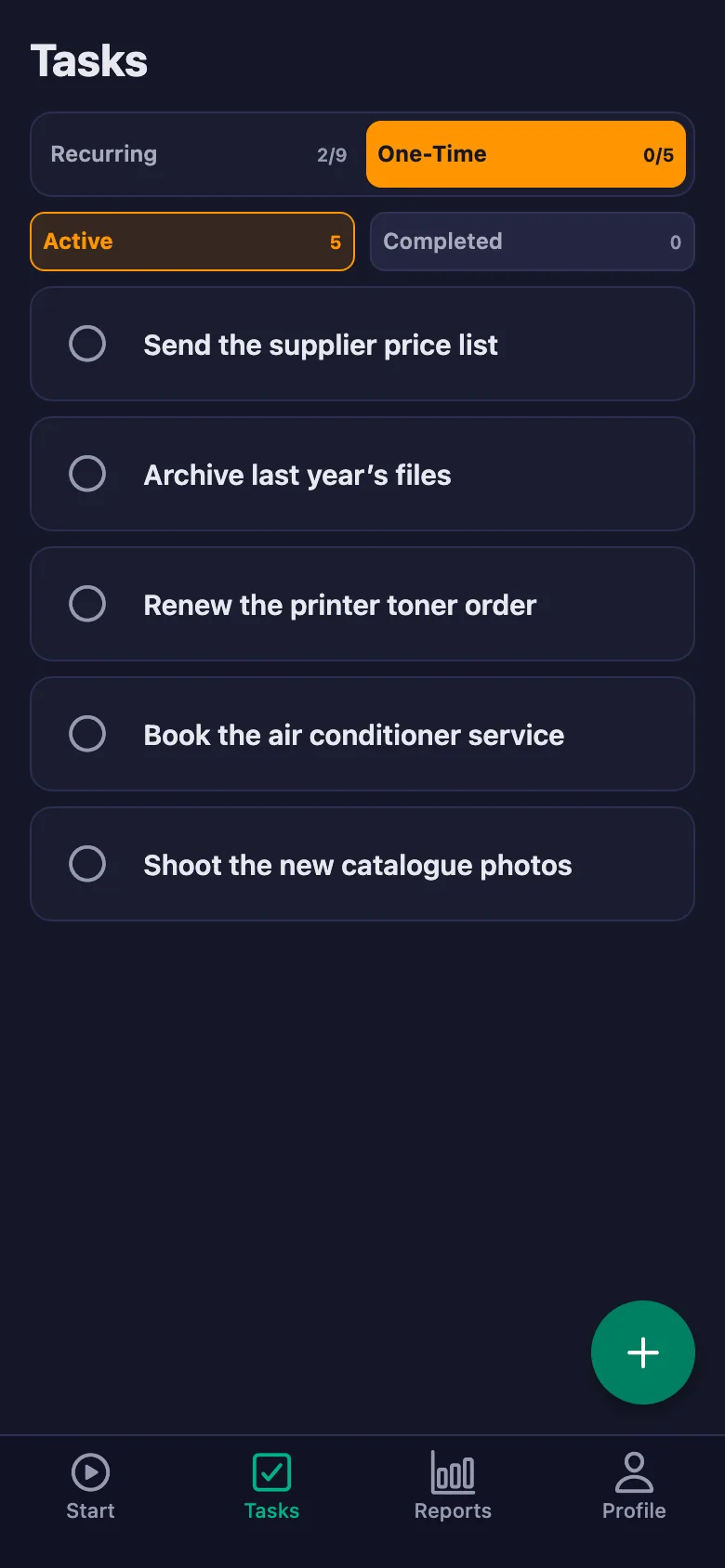
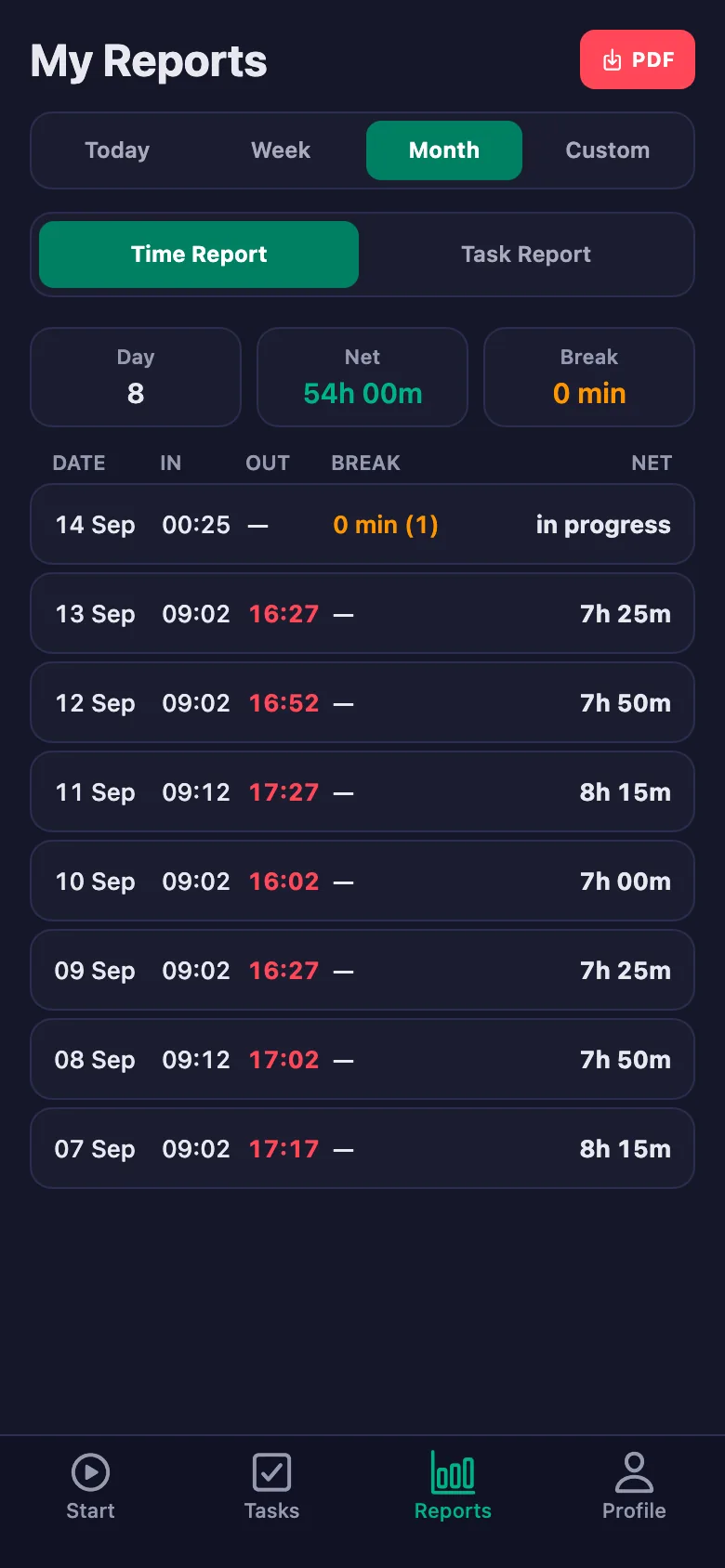
No technical knowledge needed. Download the app and start managing your team right away.
Download the iOS or Android app. Create your account from the registration screen by entering your workspace name and code.
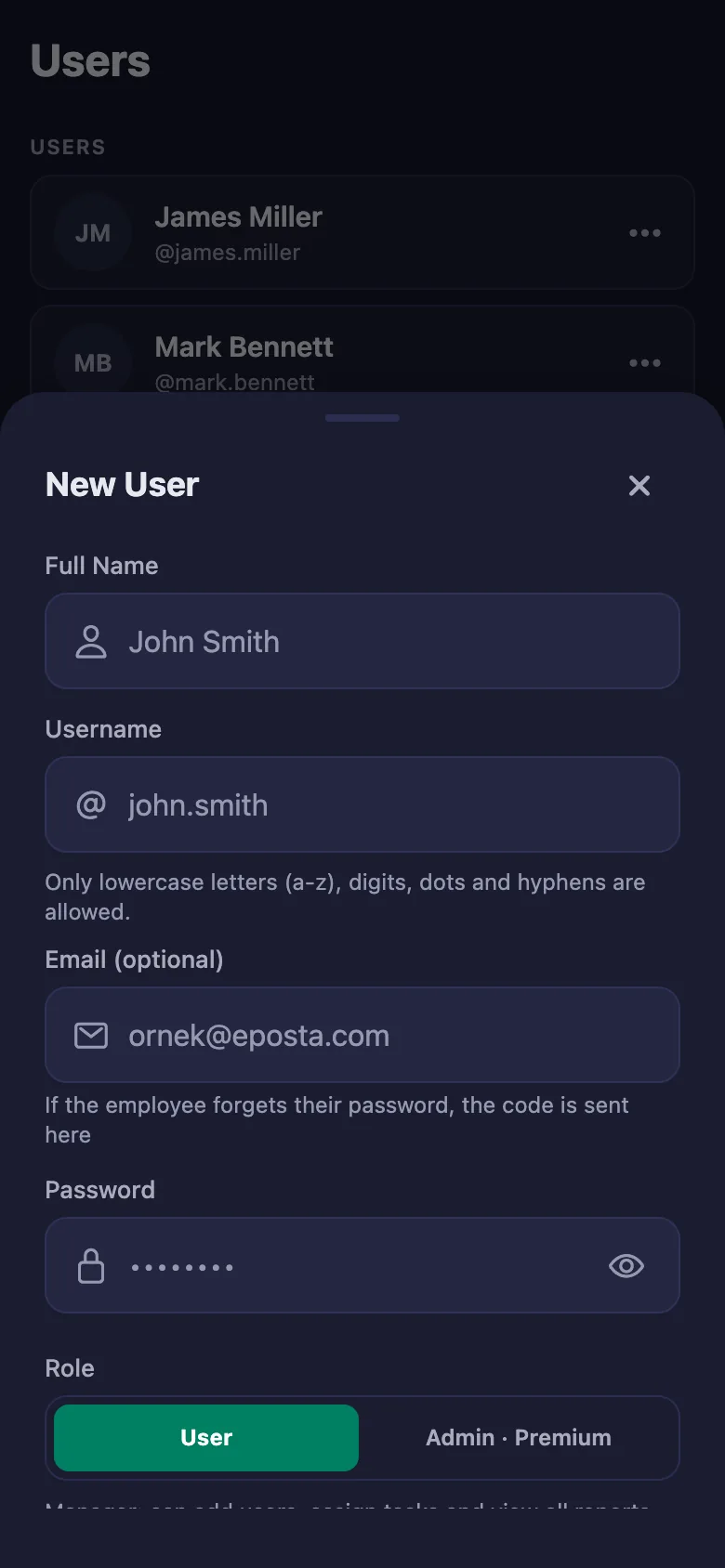
30 secondsQuickly create new accounts with employee name, username, and password. Your team joins the system right away.
2 minutesEmployees start their shift from the mobile app. You see everything with real-time Time Tracking.
InstantlyReview daily, weekly, and monthly detailed reports. Stay informed via Telegram even when you're not in the office.
AnytimeYou can set up time tracking, task management, and staff monitoring in minutes and manage your entire team from one place. Used in 100+ fields including Companies, Businesses, Schools & Teachers, Consultants, and Students.
FinalWork is designed with the flexibility every industry that tracks work needs.
Full control with employee time tracking, break management, monthly reports, and Telegram notifications.
Employer & Staff Explore the DemoManage personalized diet lists for clients as tasks, read their notes and report on their exercise time.
Dietitian & Client Explore the DemoFollow the homework list from the app, read your students’ notes, and report study time to share with parents.
Teacher & Student Explore the DemoSeparate task lists for each client, session hour tracking, and weekly progress review.
Coach & Client Explore the DemoActivity tracking for field volunteers, project-based tasks, and live status reporting.
Coordinator & Volunteer Explore the DemoDoctor, nurse, and assistant work hours, shift and appointment-based task tracking.
Clinic Manager & Health Staff Explore the DemoEmployee shift, break, and time tracking for barbers, hairdressers, and beauty salons.
Salon Owner & Salon Staff Explore the DemoSession hour tracking, client programs, and training-based task management.
Trainer & Athlete Explore the DemoAttendance tracking for field workers, task lists, and daily reporting.
Site Manager & Field Crew Explore the DemoShift start/end tracking and break management for kitchen and service staff.
Owner & Service Team Explore the DemoLive work status for warehouse and field staff, route-based task assignments.
Warehouse Manager & Courier Explore the DemoWork hour tracking for lawyers, interns, and accountants; file-based task assignments.
Practice Owner & Office Team Explore the DemoWork orders, work hours, and task-based tracking for workshop technicians.
Service Manager & Technician Explore the DemoShoot crew hours, project tasks, and production process tracking.
Producer & Crew Explore the DemoSprint-based task tracking and work hour management for remote teams.
Team Lead & Remote Team Explore the DemoSeasonal and permanent staff tracking, land-based task assignments, and daily reports.
Farm Owner & Field Crew Explore the DemoShow 8 more industries
Pharmacy · Optician · Veterinary · Textile · Security · Cleaning · Training Center · Sports Club · Hotel & Hospitality · Consulting · and more
The 12 most common questions with plain answers. If you cannot find yours, just open the app and try it — it is free.
Yes, you can use FinalWork for free. There is no sign-up fee, no credit card is asked for, and there is no trial period. On the free plan all the core features are open: time tracking, task management, reports and Telegram notifications. The free plan shows ads inside the app and has an upper limit on team size. Premium removes the ads and lifts that limit. Premium is entirely optional — without it you can keep using the app indefinitely.
On the free plan there is an upper limit on how many users you can add to a workspace. When you reach it the app tells you clearly and shows the number. Managers count towards that number too. Premium lifts the limit and you can add as many users as you like. The number of workspaces is unlimited even on the free plan.
No, employees do not sign up themselves. You create their accounts: on the Users screen you enter a full name, a username and a password, then save. You hand that username and password to the employee, who downloads the app and signs in directly. There is no email verification, no invite link and no waiting. You can change the password later, deactivate the user or delete them.
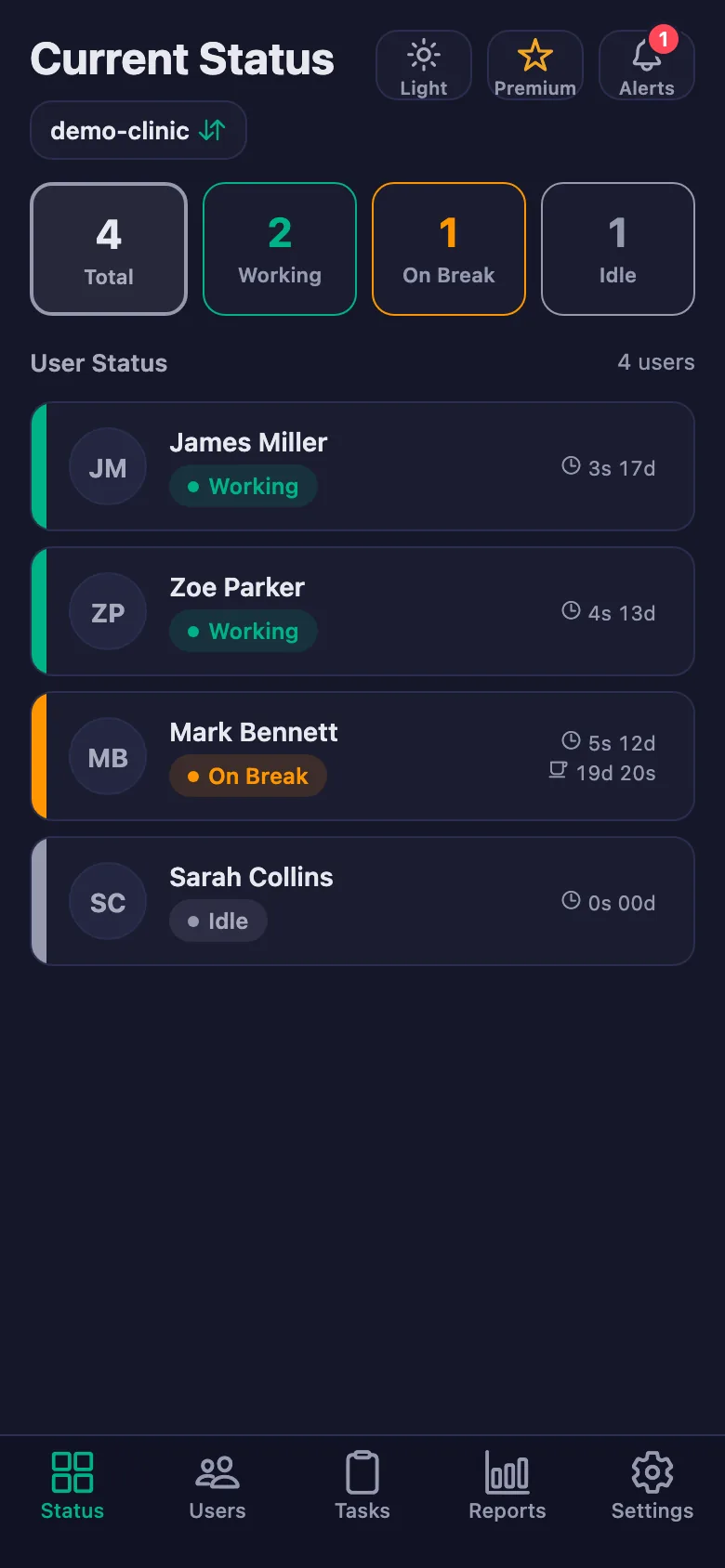
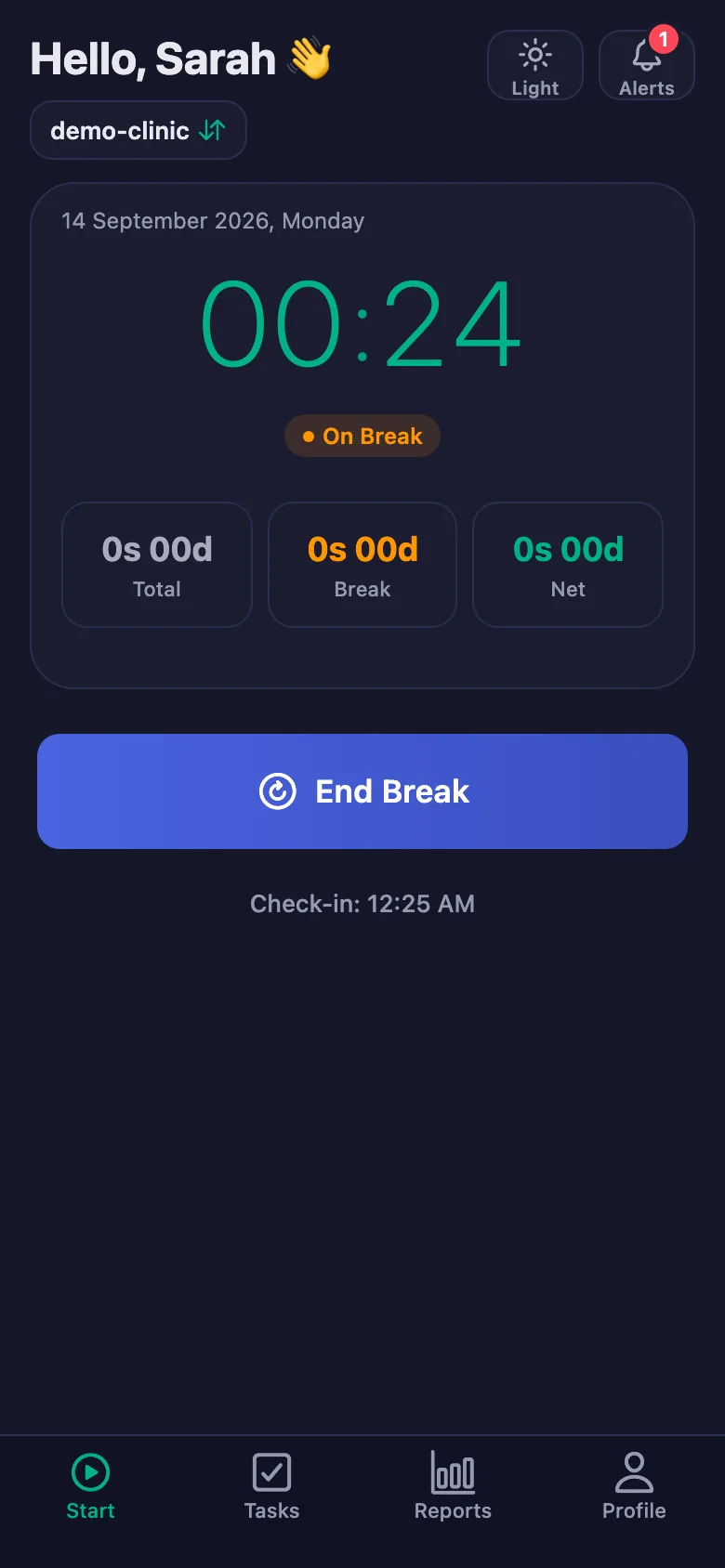
The employee opens the app and taps Start; the timer runs from that moment. When they take a break they tap Start Break, and End Break when they return. At the end of the day they tap End. The app keeps three figures separately: total time, break time and the net working time between them. From the Status screen the manager sees live who is working, who is on a break and who has not started yet.
Location checking is not mandatory; you can turn it on or off in the workspace settings. When it is on, location is asked once at the moment a shift starts and ends — there is no continuous background tracking and an employee’s movements during the day are not recorded. When the app is used in a browser, location is never requested. If you leave the setting off, the app never needs location permission at all.
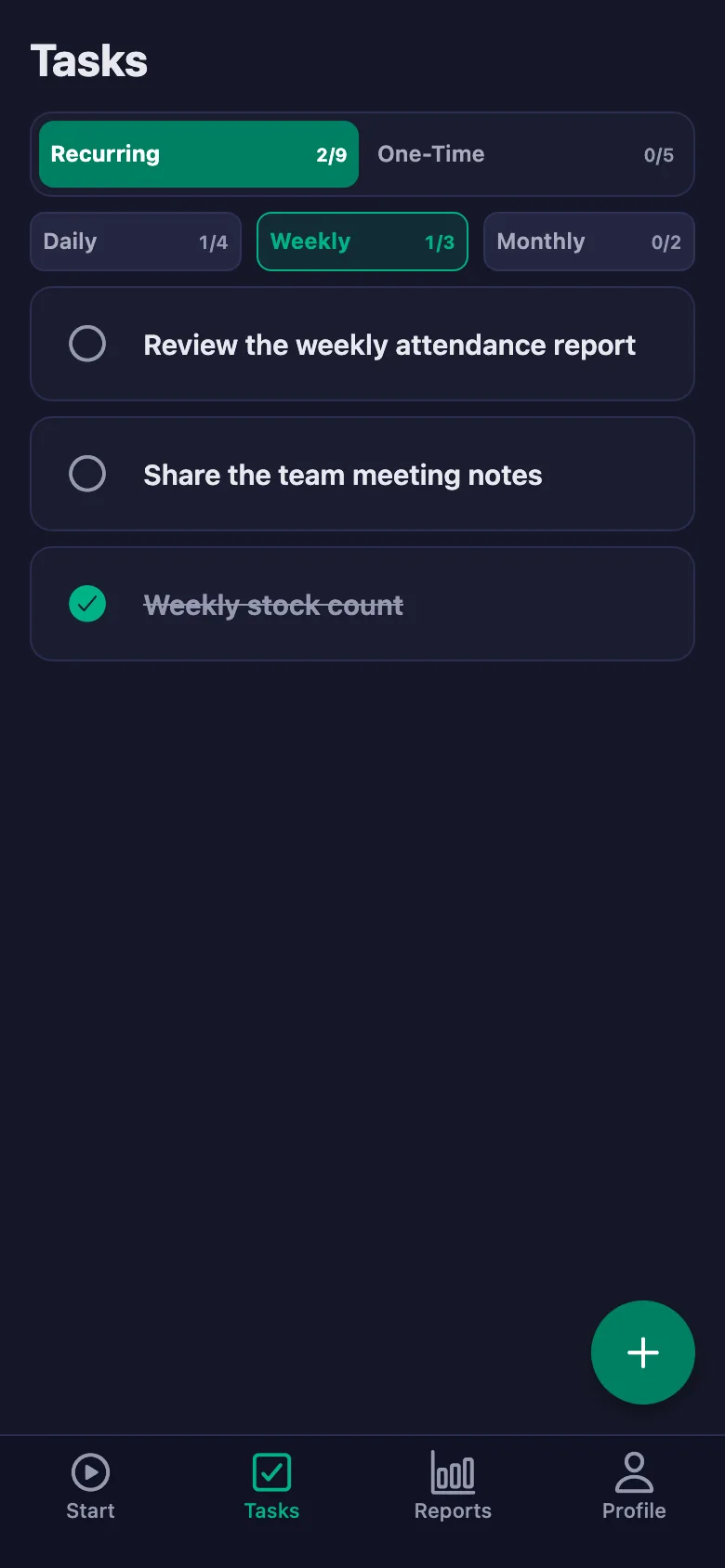
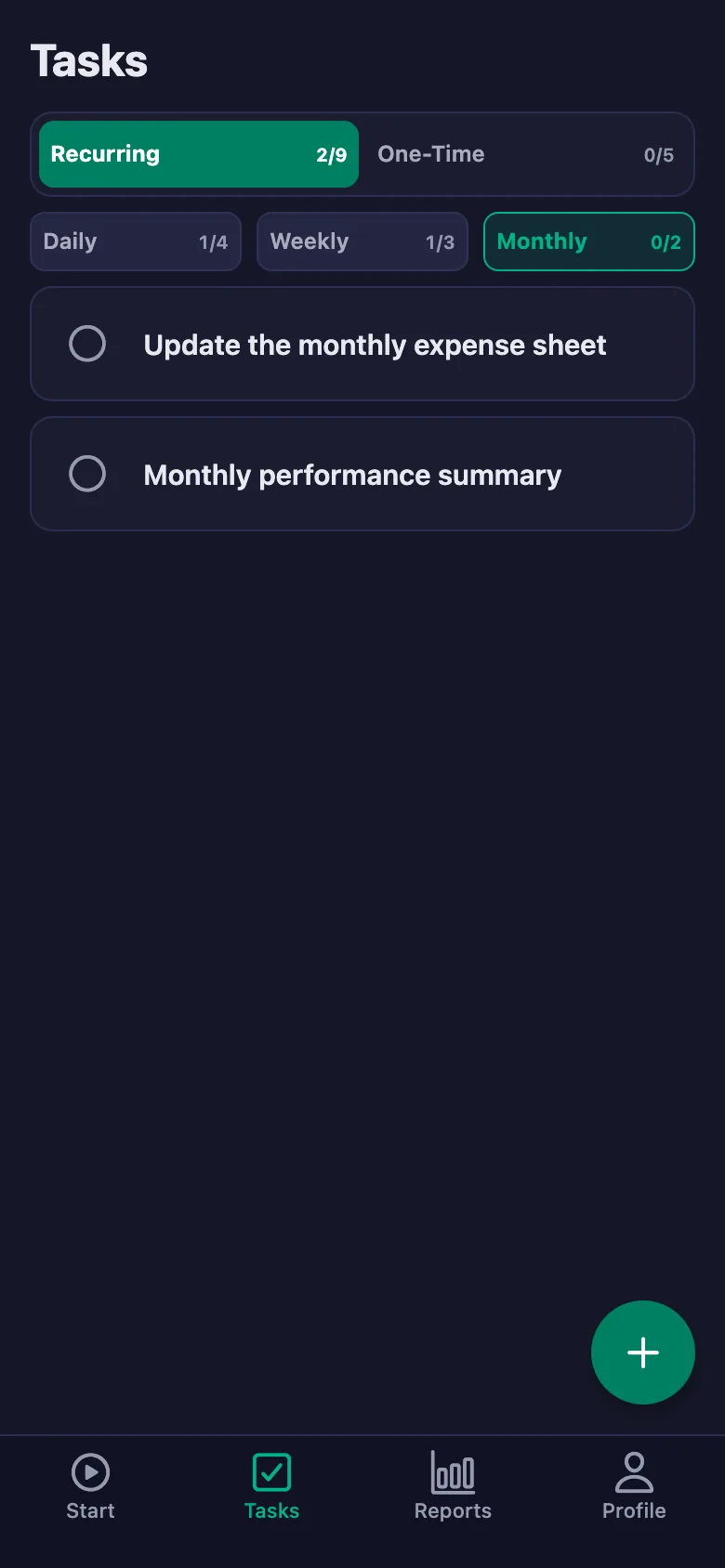
You can define a task as daily, weekly or monthly; it reopens at the start of each period so you never have to type it again. For example a "Prepare the daily report" task waits to be checked off every morning. The reset time can be changed in workspace settings (04:00 at night by default) and is calculated in your workspace’s time zone. For one-off work there is a "One-time" task type; those close once completed.
On the Telegram page under Settings you enter your chat number and save; notifications can go to up to three separate chats. Messages arrive when a shift starts, a shift ends, a break starts or ends, and when a task is completed. You can switch each of these event types on or off separately. That way you can follow the team from the messages on your phone without opening the app at all.
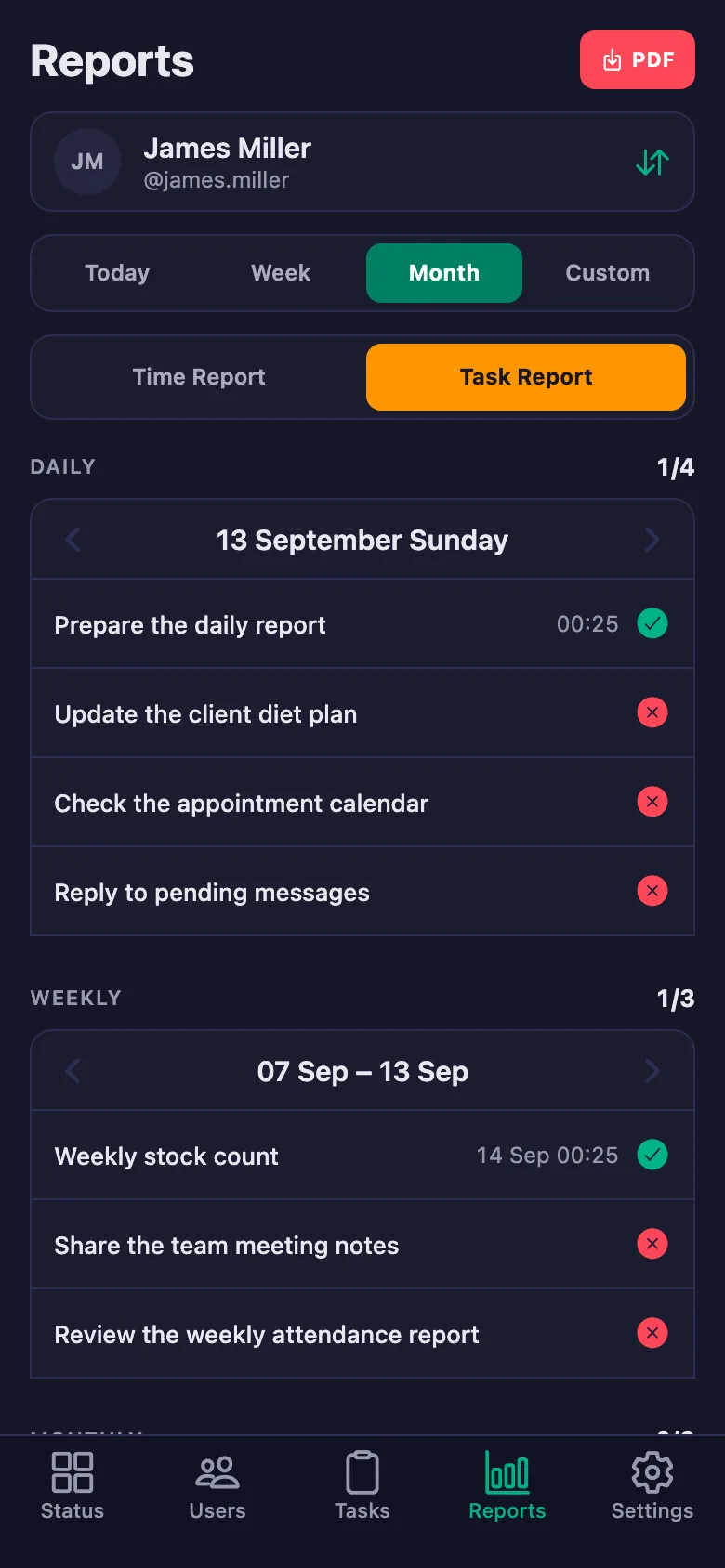
On the Reports screen you can view daily, weekly and monthly reports and pick any date range. A report shows who worked how long, their break time and the net time; late starts and early finishes are flagged separately. The task report shows which tasks were completed and which are still waiting. You can download any report as a PDF with one tap and then share or print it. Employees only see their own reports.
Yes. You can create as many workspaces as you need — one for each branch, team or project. Every workspace has its own users, tasks, working hours and settings, and the data never mixes. You switch between them quickly by tapping the workspace name at the top of the app. When you move to Premium all of your workspaces become premium at once; you do not pay separately for each one.
Each workspace’s data is separated from the others; records in one workspace cannot be reached from another. Passwords are stored in a form that cannot be reversed and never appear in any screen or response — a forgotten password cannot be shown, only replaced with a new one. Owners set a new password with a 6-digit code sent to their registered email; employees get one from their manager. An employee sees only their own shifts, their own tasks and their own report, and cannot reach another employee’s data. A manager sees their own workspace and no other.
FinalWork runs on iOS and Android phones, and in any desktop or mobile browser — Windows, Mac or Linux, it makes no difference. You can add the browser version to your phone’s or computer’s home screen so it behaves like an app. An internet connection is needed to start a shift, check off a task or view a report; because records are kept centrally you see the same data whichever device you sign in from.
Setup takes a few minutes. You download the app and create your account by entering your workspace name and your own manager details — about half a minute. Then you add your employees with a name and a password, a few seconds each. The moment your team downloads the app and signs in, time tracking begins. No setup wizard, no training and no technical knowledge are needed; you can adjust tasks and settings whenever you like afterwards.
Real user experiences from 10,000+ workspaces.
"I create a separate task list for each of my clients. I assign the weekly diet program as a task; I can see in real time whether the client has completed it and when they checked it off. The process has become completely transparent."
"I manage the shifts and daily tasks of my 15-person team from a single screen. Thanks to Telegram notifications, I don't need to be in the office — I can see who started at what time and who's on break, all in real time."
"I add the homework I give to students as tasks in FinalWork. Parents follow along too; when a child completes the homework, the system records it. The "homework not assigned" argument is gone!"
"I create customized task lists for each of my clients. When I check in once a week, I can instantly see how much each person has progressed and which step they've completed. My coaching processes have become much more efficient."
"We digitally track the activities of our 12 field volunteers. Who was active where, which task was completed — all of it is recorded. We can now add concrete data to our donation reports."
"My 6 employees' shifts and breaks are now paperless. I glance at my phone and see who came in when and whose break ran long. The monthly payroll calculation is now ready in minutes."
"I track my sessions and client training programs with FinalWork. There's a custom task list for each client; I check from the app whether they've completed their exercises."
No registration fee, no setup complexity, no credit card required. Create your workspace in 30 seconds.
Trusted by 127,480+ users · Free · iOS & Android