
Restaurant Shift Handoff Checklist: Keep the Next Service Ready
By FinalWork · · 7 min read
The most fragile part of a restaurant day may be the quiet gap between lunch and dinner. The outgoing crew knows a prep task is unfinished, a machine has been behaving oddly, and one service station still needs attention. If those facts leave with the crew, the evening team discovers them only after tickets begin to build.
A restaurant shift handoff checklist should transfer decisions, not produce a long diary. The incoming lead needs a quick answer to four questions: who is still working, what remains open, what changed from the normal routine, and who owns the next action. A short record that answers those questions is more useful than a detailed message with no accountable next step.
Design the handoff around the next service
Start with what the next lead must decide before the rush. Do not ask staff to retell every completed duty. Normal work can be shown by its completion record; the handoff should highlight exceptions and unresolved work.
| Handoff area | Minimum record | Next decision |
|---|---|---|
| Crew status | Who is working or on a break | Set coverage using the team actually available |
| Open work | Unfinished task and current owner | Finish it or assign a clear next owner |
| Exception | Concise note about a shortage or equipment issue | Act before it disrupts service |
| Follow-up | A practical review point | Keep the issue from disappearing between shifts |
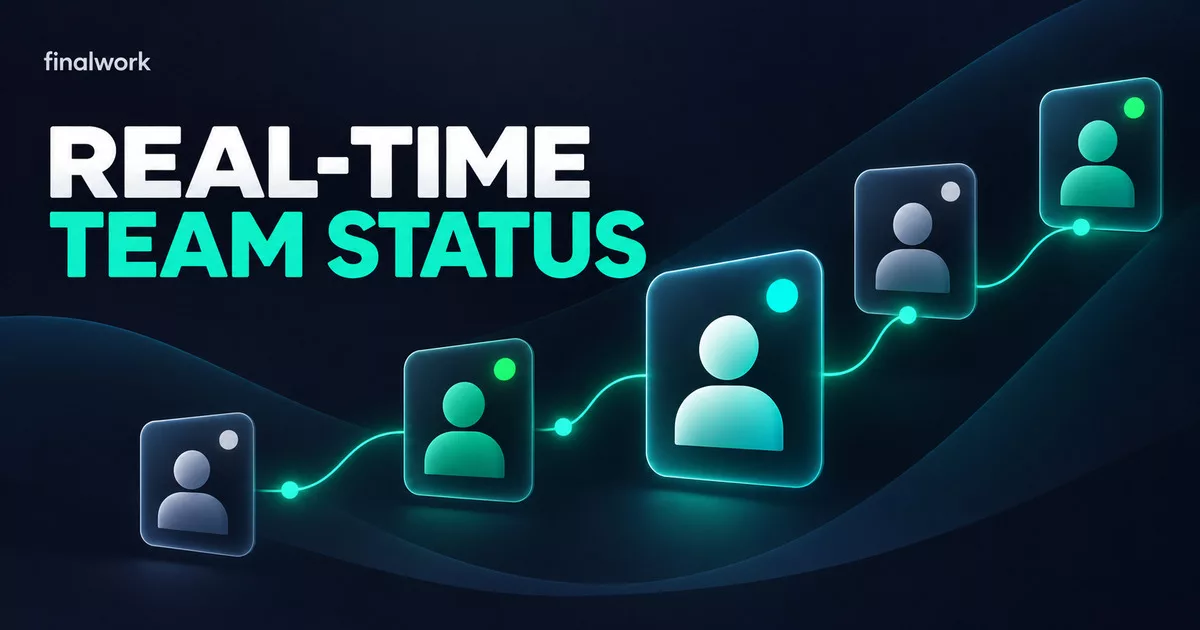
In the current FinalWork restaurant workflow, crew members start and stop their own work timer, breaks are recorded separately, and the manager can see live status. Daily tasks that have not been completed remain visible, while the record shows who marked a task and when. Time status and operational work can therefore be reviewed together without pretending they are the same record.
Pass exceptions, not noise
A useful shift note names the area, states the current condition, and points to a next action. “Low stock” is too broad. “Takeaway lids at the counter are low; evening lead to confirm the backup box before 17:30” gives the next person somewhere to begin. The task system is not an inventory ledger, but it can keep an operational exception visible until the correct process takes over.
- Name the station, item, equipment, or task affected.
- State whether the work is complete, partial, or waiting.
- Identify the next owner and the point before which action matters.
- Keep guest details, sensitive staff information, and long commentary out of general task notes.
FinalWork allows the crew member to write a note under the relevant task. The manager can read that note but cannot rewrite it; only its author can edit it. That authorship boundary helps preserve the original report. Do not build the process around photos, attachments, dual signatures, or formal approvals, because those capabilities are not verified in the live restaurant flow.
Give each side of the pass a different job
Shared responsibility often means nobody knows who should close the loop. Define a role for the outgoing crew, the incoming shift lead, and the operator. They should use the same record, but they should not repeat the same check.
Outgoing crew
Each person completes assigned work or leaves a short exception note on an open item. Someone leaving ends their work timer; a teammate who is still working or on a break keeps the real status. Marking a task complete merely to clean up the screen destroys the information the next shift needs.
Incoming lead
The new lead reviews live crew status first, then the small set of open tasks. Anything that can affect the next service receives a named owner. Because a manager cannot edit the employee’s original note in the verified FinalWork flow, a new instruction should be created clearly instead of silently rewriting what was reported.
Operator or general manager
The operator looks for patterns rather than joining every pass-down conversation. If the same item remains open repeatedly, review the task name, recurrence, timing, and ownership. Day, week, month, or custom date-range reports can support that review, but they should be used to find a process gap rather than to guess why a person behaved a certain way.
Build the smallest workflow the crew will use
Do not move the entire operations manual into the app on day one. Choose five to eight facts that are genuinely lost at the lunch-to-dinner handoff. Create daily recurring tasks for work that resets every day and temporary tasks for one-off follow-up. Give every task a clear name and one responsible person.
- Set one consistent handoff point before the next service begins.
- Separate kitchen prep, front-of-house readiness, and equipment checks into understandable tasks.
- Ask for a completion mark when work is normal and a concise note when it is not.
- Use a reminder only for open work whose timing truly matters.
- Make the incoming lead’s open-task review part of the routine.
- Review time, break, and task records while the day is still fresh.
A reminder is not proof that the work was performed correctly. A checked task also cannot, by itself, prove that a food-safety control or another regulated procedure met its technical requirements. Authorized people must define those controls and maintain any required records in the appropriate system.
Keep actual hours separate from the schedule
The verified FinalWork restaurant use case records when work starts, when a break occurs, when work ends, and the resulting net time. It is not an automatic employee scheduling tool. The business still decides who is expected to work each day through its established scheduling process; FinalWork adds visibility to what happened during the shift.
It should not be presented as a POS, till, inventory, purchasing, payroll, bonus, or food-safety compliance system either. A task note may flag that an item is running low, but the official count and purchase decision belong in the authorized inventory process. Keep payment data, guest details, and sensitive employee information out of general handoff notes.
Separate locations without losing the standard
Operators with several restaurants or cafes can create a separate FinalWork workspace for each branch and switch between them with the same account. Users, tasks, hours, and reports remain in their branch context. Keep a common handoff structure across locations, then adapt task names to each venue’s equipment, service model, and responsible roles.
The location rule is optional. When enabled, the timer can be started only at the configured location, and missing permission appears to the manager as a warning. Do not describe this as continuous movement tracking. Explain the purpose to the team and enable it only when confirming the place of clock-in fits the operating policy.
Run a seven-day handoff pilot
Test one handoff at one location for a week. Begin with five tasks. At each shift change, observe whether the open owner is clear, whether an exception note is actionable, and whether the incoming lead can retrieve what matters before service. On day seven, remove unused items, rewrite ambiguous tasks, and add a new one only for a repeated gap.
The success measure is not a longer form. The incoming crew should be able to see who is working, what remains open, what changed, and who continues the work without rebuilding the story through calls and group messages.
Frequently asked questions
What belongs on a restaurant shift handoff checklist?
Start with crew status, unfinished tasks, concise exceptions, the next owner, and a useful review point. Keep cash, inventory, food-safety, guest, and payroll records in their authorized systems.
Does FinalWork create restaurant schedules?
No. The verified flow records actual start, break, finish, and net time. It should not be described as automatic scheduling software.
Can a manager edit an employee’s task note?
The current restaurant page says the manager can read the note but cannot change it; only the person who wrote it can edit it. Create a separate owned task when a new instruction is needed.
Can several branches use the same account?
Yes. A separate workspace can be created for each branch, and the same account can switch between them while records stay separated by workspace.
Make the next service easier to inherit
Choose one daypart change, five recurring tasks, and a concise exception-note rule. Then review the FinalWork Owner and Service Team workflow and configure only the time and task controls your venue will actually use.
Manage your team with FinalWork
Time tracking, task management and reports in one app. Completely free.
More posts
florist task tracking · flower shop employee time tracking · recurring tasks
A Flower Shop Owner's Day: Bouquet and Delivery Task Tracking
An editorial day-in-the-shop scenario connecting employee time, real breaks, bouquet and delivery duties, recurring work, leave, live status, and two reports.
10 min read
Read more
pet store opening and closing task tracking · pet store recurring tasks
Pet Store Opening, Animal Care and Closing Tasks: An Owner’s Day
See how a pet store owner can connect opening, animal and aquarium care, genuine breaks, shared closing tasks, and reports in one FinalWork workflow.
9 min read
Read more
butcher shop opening and closing task tracking · butcher shop employee time tracking
Butcher Shop Opening and Closing Task Tracking: An Owner’s Day
An owner-led butcher shop workflow connecting opening, authorised cold-room checks, receiving, cleaning and closing duties with employee time, real breaks and reports.
10 min read
Read more