
Employee Time Tracking for Small Business: An Owner’s Guide
By FinalWork · · 8 min read
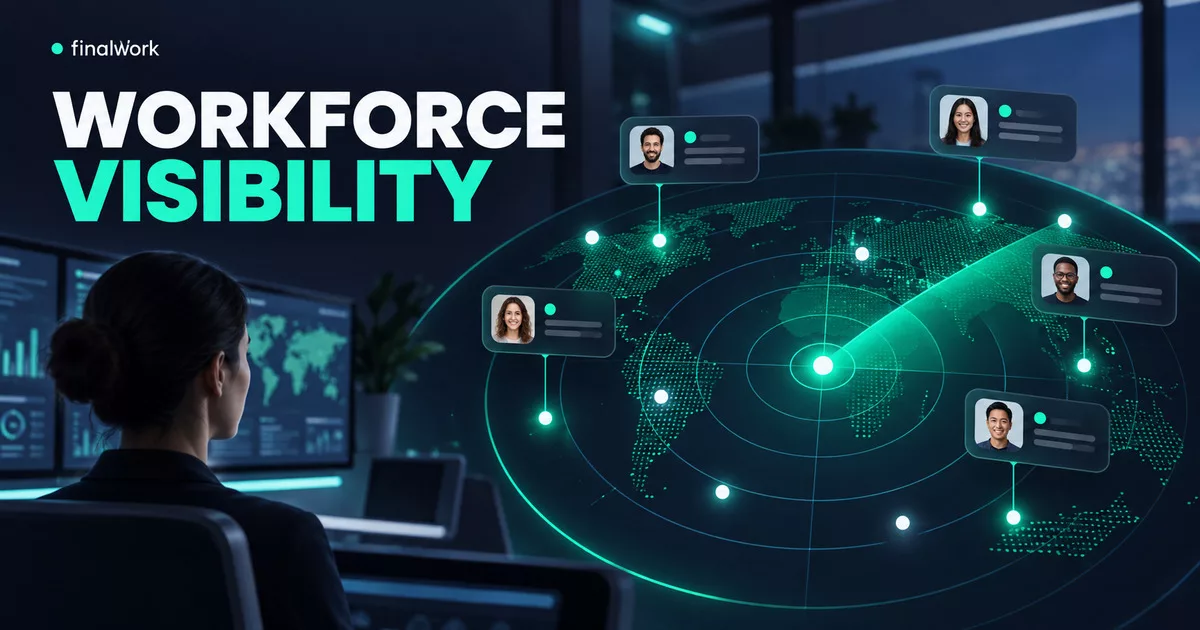
It is 9:07 a.m. The shop floor is active, one team member has messaged that they are on site, another has not replied, and yesterday’s spreadsheet still has a blank clock-out cell. The owner does not need another end-of-month total at that moment. They need a reliable answer to a simpler question: who is working, who is on a break, and which record needs attention?
Employee time tracking for small business works best when it creates that shared operational view. Employees record a start, a break, and an end; managers see a current status and review consistent reports. The goal is not continuous surveillance. It is a clear routine that replaces scattered messages and memory-based corrections.
This guide offers a practical framework for selecting and introducing that routine. It focuses on work hours, breaks, live team status, and operational review. It does not treat a time tracker as a substitute for payroll expertise, employment advice, or a complete human resources platform.
Start with the management question, not the feature list
Time-tracking product pages often present long checklists. A small business owner can make a better decision by writing down the recurring management questions first. Which employees have started? Who is currently on a break? Did anyone forget to clock out? Can the manager review the week without rebuilding it from messages?
Those questions define the minimum useful system. If a tool records many data points but the team cannot complete a clock-in in a few clear steps, the reports will remain incomplete. If the manager receives totals but cannot see today’s status, the owner will keep asking for updates in a group chat.
FinalWork supports mobile clock-in and clock-out, separate break actions, a live status view, and daily, weekly, and monthly work reports. These capabilities match the core visibility problem without requiring every business to adopt a large HR suite.
What a useful time record should reveal
A timestamp becomes useful only when it answers an operational question. Use the following framework during a trial rather than judging software by the number of menu items.
| Team action | Manager view | Decision it supports |
|---|---|---|
| Clock in | Who has started and who has not | Confirm the opening status without individual messages |
| Start and end a break | Current break status and break duration | Distinguish total presence from net working time |
| Clock out | A completed daily time record | Find missing entries before they become month-end questions |
| Review a period report | Daily, weekly, or monthly work history | Discuss recurring exceptions with shared evidence |
Consistency matters more than complexity. If half of the team uses the app while the rest reports hours in chat, managers still have to reconcile two sources. The rollout should therefore define one method, one start date, and one clear response when somebody misses an action.
FinalWork separates total duration, break duration, and net working time. Managers can use the reports for operational review, including visibility into late starts or early finishes. Any payroll calculation or legal interpretation should remain in the business’s qualified process rather than being inferred from a time entry alone.
A seven-day rollout that a small team can actually follow
A practical rollout does not begin by importing years of spreadsheets. Choose a normal workweek and make complete start, break, and finish records the only first-week objective. That keeps the test observable and gives the team a fair chance to build the new habit.
- Day 0 — define the rule: Write one short instruction covering clock-in, break, clock-out, and the contact for corrections.
- Day 1 — rehearse the actions: Ask each employee to complete the flow once while a manager checks the status view.
- Days 2–3 — note friction: Record where people hesitate, which labels need explanation, and when reminders are genuinely helpful.
- Days 4–5 — reduce exceptions: Confirm that missed clock-outs and incorrect breaks follow the same correction routine.
- Day 7 — review the report: Compare the report with the team’s actual work pattern and agree on any process change.
Use adoption signals that reflect real work
Account creation is not a meaningful success measure by itself. Better signals include employees completing the flow without assistance, managers checking one status screen instead of sending repeated messages, and missing entries becoming visible before the end of the pay period.
Do not use the first week to rank individual performance. It is a process test. A missed action may point to unclear guidance, a badly chosen reminder, or a workflow that does not match a role. Fix the routine before drawing conclusions from the data.
Where FinalWork fits in the daily operating rhythm
At the start of a shift, the employee opens FinalWork and starts work. The manager sees who is working, on a break, or has not started. During the day, the employee records the beginning and end of a break. At departure, clock-out completes the day’s time record.
A manager who does not want to watch a dashboard can configure the verified Telegram notification options for selected events. FinalWork can notify configured chats about work and break starts or finishes. The business can enable only the events that require attention, helping prevent useful alerts from becoming background noise.
The reporting view supports daily, weekly, and monthly review. The owner can look for missing entries or recurring operational exceptions and discuss them while the context is still available. Reports should support a conversation about the workflow, not function as a context-free score.
Optional location verification can be used when the business has a legitimate need to confirm the start or end location. According to FinalWork’s current product explanation, it requests location at clock-in and clock-out when enabled; it does not continuously track movement in the background. Teams that do not need it can leave it off.
Questions to ask before choosing an employee time clock
Run these questions against a real opening, break, and closing scenario. A short live test will reveal more than a generic feature comparison.
- Can every role clock in, start or end a break, and clock out without manager assistance?
- Can a manager immediately distinguish working, on-break, and not-started statuses?
- Are total time, break time, and net work time clearly separated?
- Can the owner review daily, weekly, and monthly information without rebuilding a spreadsheet?
- Does the team have a clear correction path for a missed or incorrect action?
- Are notifications selectable so managers receive only useful events?
- If location verification is enabled, is its timing and purpose transparent?
- Can separate branches, teams, or projects be organized without mixing their records?
FinalWork supports multiple workspaces, so a business can keep the users, tasks, work hours, and settings of separate branches or teams in distinct areas. That structure is useful when one owner needs oversight without combining unrelated operating records.
Three mistakes that undermine reliable time tracking
Turning on every workflow at once
Time tracking, recurring tasks, notifications, and reports can all be useful, but changing every routine on the same day makes adoption harder to diagnose. Establish the time-and-break habit first. Add task and notification workflows when the team can explain why they are needed.
Treating the tool as a substitute for a team policy
Software records an action; it does not decide what employees should do when they forget it. A one-page internal rule should state when to clock in, how breaks are recorded, and how a correction is requested. Keep the rule short enough to use during a busy shift.
Reading hours as a complete performance measure
Hours provide time context, not a complete assessment of contribution or quality. Review them alongside responsibilities, customer demand, and completed work. FinalWork also supports daily, weekly, monthly, and temporary tasks, which can help connect time visibility to actual workflow without assuming that longer hours equal better results.
Frequently asked questions
Is employee time tracking the same as payroll software?
No. A time tracker can provide work, break, and net-duration records, but it should not automatically be treated as a payroll engine. FinalWork provides time visibility and reports; the business should apply its own qualified payroll and employment processes where required.
Does useful attendance visibility require continuous GPS tracking?
No. Clock-in, break, clock-out, and live status can provide the operating view described here. FinalWork’s location option is not mandatory. When enabled, the current product page states that location is requested at the start and end actions rather than tracked continuously.
Can one owner keep multiple teams separate?
Yes. FinalWork supports multiple workspaces. Each workspace can have its own users, tasks, work hours, and settings, allowing branches or project teams to remain distinct while the manager moves between them.
Build the habit before expanding the system
The best employee time tracking setup for a small business is the one the team can use consistently and the owner can interpret quickly. Begin with start, break, finish, and live status. Once those records are dependable, use reports to improve the routine and add other workflows only when they solve a defined problem.
To test that focused approach, review FinalWork’s current features, create a workspace, and run one normal workweek with the basic time flow. At the end of the week, review exceptions with the team and decide which notifications or task routines would add real value.
Manage your team with FinalWork
Time tracking, task management and reports in one app. Completely free.
More posts
florist task tracking · flower shop employee time tracking · recurring tasks
A Flower Shop Owner's Day: Bouquet and Delivery Task Tracking
An editorial day-in-the-shop scenario connecting employee time, real breaks, bouquet and delivery duties, recurring work, leave, live status, and two reports.
10 min read
Read more
pet store opening and closing task tracking · pet store recurring tasks
Pet Store Opening, Animal Care and Closing Tasks: An Owner’s Day
See how a pet store owner can connect opening, animal and aquarium care, genuine breaks, shared closing tasks, and reports in one FinalWork workflow.
9 min read
Read more
butcher shop opening and closing task tracking · butcher shop employee time tracking
Butcher Shop Opening and Closing Task Tracking: An Owner’s Day
An owner-led butcher shop workflow connecting opening, authorised cold-room checks, receiving, cleaning and closing duties with employee time, real breaks and reports.
10 min read
Read more